How Smart Locks Integrate with Rental Platforms
May 16, 2026 · 10 min read
How Smart Locks Integrate with Rental Platforms
Smart locks and rental platforms work together to automate rental business operations through access management, making operations easier and more secure. When a booking is confirmed, the system generates a unique access code that activates at check-in and deactivates after checkout. This eliminates manual key exchanges, reduces errors, and enables 24/7 self-service rentals. Platforms like [Lockii](https://www.lockii.app/) streamline this process by syncing smart locks with rental details, handling payments, identity verification, and access rules.
Key Takeaways:
- Smart Locks: Digital locks with keyless entry (PINs, apps, biometrics) allow remote access control.
- Rental Platforms: Manage bookings, payments, and communication while integrating with smart locks.
- Automation Benefits:
- Unique codes for each booking.
- Real-time updates for changes or cancellations.
- Enhanced security with access logs and code expiration.
Integration Essentials:
- Compatible smart locks (e.g., IglooHome, Yale, Schlage).
- Internet connectivity (Wi-Fi or hubs like SmartThings).
- Rental platforms with API or middleware support (e.g., Lockii, Zapier).
By automating access and security, smart lock integration helps rental businesses scale efficiently, manage multiple locations, and offer a hassle-free experience for both renters and staff.
Core Integration Components and Requirements
Key Components of an Integration Stack
Integrating a smart lock system into a rental setup involves a combination of hardware, connectivity, and software working in sync. At the hardware level, you’ll need a compatible smart lock. Popular brands for rental properties include IglooHome, Yale, Schlage, Nuki, and August. On the software side, platforms like Lockii serve as the central hub, linking booking information with lock permissions to automate the creation and expiration of access codes.
Connectivity is another critical layer. This could be built-in Wi‑Fi on the lock or an external hub that bridges the lock to the platform. Additional services, such as Stripe and identity verification tools, ensure that access codes are only delivered after payment and identity checks are completed.
| Component | Role | Examples | | --- | --- | --- | | Smart Lock Hardware | Physical device for entry | IglooHome, Yale, Schlage, Nuki | | Connectivity Layer | Connects the lock to the internet | Wi‑Fi bridge, SmartThings Hub | | Rental Platform | Manages bookings and access rules | Lockii | | API / Middleware | Links the platform to the lock’s cloud | Zapier | | Verification & Payment | Controls code delivery conditions | Stripe, identity verification APIs |
Now, let’s look at how these components interact in real-world setups.
Types of Smart Lock Integrations
Rental platforms typically connect to smart locks using two main methods: direct API integrations or middleware tools like Zapier.
A direct API integration allows the rental platform to communicate directly with the lock manufacturer’s cloud in real-time. This method is dependable and works well for businesses handling multiple properties or frequent bookings. For example, IglooHome integrates with Lockii via a direct API, enabling the automatic generation, delivery, and expiration of access codes without any manual effort.
Middleware tools like Zapier offer an alternative for simpler setups or for connecting systems that don’t have built-in compatibility. They’re easier to configure but may introduce slight delays and are more sensitive to changes in service APIs.
Understanding these integration methods helps ensure your setup is both functional and efficient.
What You Need Before Getting Started
To successfully integrate your system, there are a few key prerequisites to check off. First, ensure your smart lock is registered and active in the manufacturer’s app or web portal. Without this, platforms like Lockii cannot sync with the lock. Additionally, a reliable internet connection is crucial for most features.
Some locks, like those from IglooHome, offer offline codes that can remain valid for up to 367 days [2]. However, for real-time functionality, a steady Wi‑Fi connection is usually required.
If you’re using Z‑Wave locks, such as the Kwikset 910, you’ll need a compatible hub like SmartThings to connect the lock to the internet. For Nuki locks, a separate keypad accessory is necessary for PIN codes to work; without it, you’ll encounter compatibility issues [2]. Lastly, double-check that the time zone in your rental platform matches the physical location of your lock. Time zone mismatches are a frequent cause of guests being locked out at unexpected times.
sbb-itb-eb44693
8 Smart Lock Features Airbnb Hosts Must Know
::: @iframe https://www.youtube.com/embed/XL35wWBylqs :::
Step-by-Step Guide to Integrating Smart Locks with Lockii
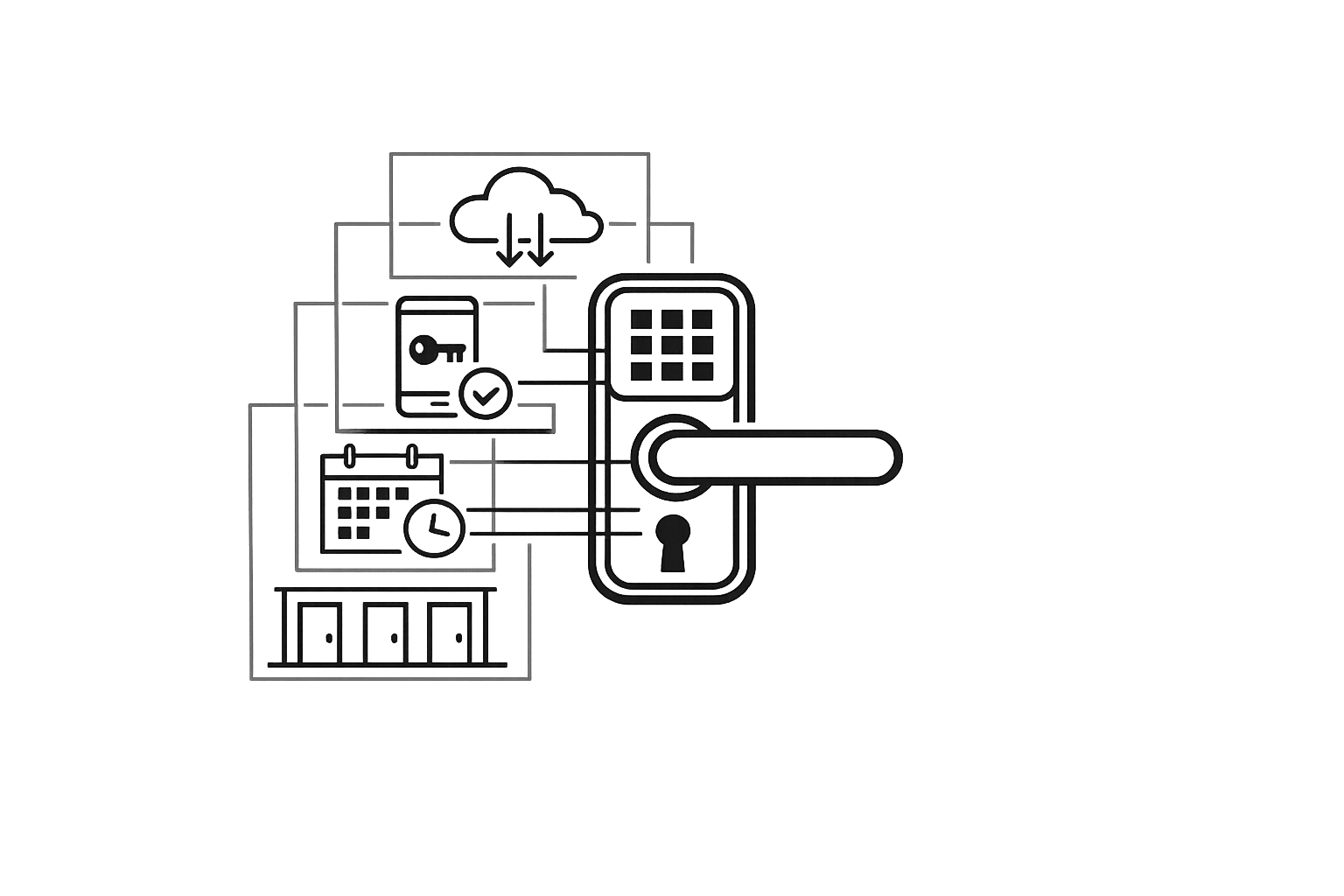
::: @figure How Smart Lock Integration Works with Rental Platforms{How Smart Lock Integration Works with Rental Platforms} :::
Preparing Your Smart Locks for Integration
Start by updating your lock's firmware through the manufacturer's app. This step is crucial to fix any security vulnerabilities. Once updated, rename your devices from default names like "IglooHome_Lock_4F2" to something clear and specific, such as "Trailer Bay 1." This helps avoid confusion for both you and your customers [7][1]. If you're using PIN-based entry, make sure the Keypad feature is enabled in the device settings. Without this, Lockii won't be able to generate numeric codes for your renters [1]. After completing these steps, your locks are ready to be connected to Lockii.
Connecting Smart Locks to Lockii
To integrate your locks with Lockii, use the API in the integrations section of your dashboard. For IglooHome locks, this is a direct connection that syncs in real time [10]. Once connected, you'll need to manually map each lock to a specific rental item or location in Lockii [8]. For example, you might assign a lock to a single trailer or share it across multiple bookings, such as a main gate. Proper mapping is essential for Lockii's automation to work - unmapped locks won't generate access codes.
To ensure everything is set up correctly, use the Remote Open feature (available on compatible locks like IglooHome) to confirm the connection is live before handling actual bookings [9].
Important: Disconnect any previously linked systems to prevent unstable behavior that could interfere with code generation or revocation [8].
Once your locks are mapped and the connection is verified, you're ready to configure automated access rules.
Setting Up Automated Access Rules
In Lockii, configure the system to generate access codes only after confirming Stripe payment and verifying the customer's identity [10]. This ensures that access is granted only to verified and paid customers. You can also set buffer times around each booking - for instance, allowing access 15 minutes before the scheduled start and revoking it 15 minutes after the end [9]. These settings enable secure and efficient 24/7 self-service operations.
After saving your rules, run a test booking to confirm that a PIN or access link is generated. This quick test ensures that everything, from payment to access code generation, is functioning smoothly [9].
How Smart Lock Integration Improves Rental Operations
Smart lock integration takes your automated access setup to the next level, making rental operations smoother and more efficient.
Running 24/7 Self-Service Rentals
With automated access rules in place, your rental business can operate seamlessly, even without on-site staff. After a booking is confirmed and identity verification is completed, Lockii sends a unique PIN via SMS or email to the renter. This enables [24/7 self-service access](https://www.lockii.app/post/self-service-rentals-common-questions-answered). Renters can arrive, pick up their item, and head out without waiting for assistance.
Survey data shows that 67% of renters prefer keyless smart locks when selecting a rental[3]. This means offering a frictionless, keyless experience isn’t just a convenience - it’s becoming a standard expectation.
"Smart locks facilitate automated and self-service check-in and check-out processes. This automation means that guests can arrive and leave at their convenience, without the need for the host to be physically present." - Enso Connect[7]
Improving Security and Reducing Fraud
Lockii generates a unique access code for every booking, which is automatically deactivated once the rental period ends. This eliminates the risks associated with physical keys and ensures no lingering access after a booking concludes[7]. If a booking is canceled, access is instantly revoked through the dashboard.
The system’s booking and item audit logs provide a real-time record of every access event, adding another layer of security. When combined with GPS tracking and identity verification, these features dramatically reduce the chances of fraud or unauthorized access.
This integration doesn’t just secure your rentals - it simplifies managing multiple locations.
Managing Multiple Locations and Assets from One Place
Lockii’s dashboard offers a centralized view of all your locks, locations, and rental items. You can assign a lock to a single asset, like a trailer bay, or configure it to handle multiple bookings for shared entry points, such as a main gate. Each lock can even be set to its own time zone[1].
As your business grows, adding new locations is straightforward. There’s no need to hire extra staff or open physical offices. Simply add the new location in Lockii, map the locks, and let the system handle the logistics. Team permissions allow maintenance staff to access specific areas without exposing sensitive dashboard details. Everything scales seamlessly from one platform.
Best Practices for Smart Lock Integration
Once your integration is set up, these practices can help you maximize both security and efficiency.
Setting Access Timing and Automating Extensions
Timing is everything when it comes to access codes. If you set codes to activate right when a rental starts, early arrivals could end up locked out. To avoid this, add a buffer of 60 to 90 minutes before pickup and after drop-off [2][6]. This ensures smoother handoffs and fewer headaches.
Make sure access codes are only sent after payment is confirmed. With Lockii, code delivery is tied to booking completion, so you’re already a step ahead. For higher-value rentals, consider requiring a damage deposit to clear before releasing the code [1][4].
If renters extend their booking through Lockii’s self-service option, the system automatically adjusts the lock’s validity window. No need for manual updates - it’s all handled seamlessly [2].
Next, let’s look at how to strengthen security through effective code management.
Code Management and Security Policies
Lockii simplifies code management by generating a unique access code for every booking. These codes automatically expire when the rental period ends, so you don’t have to worry about manually rotating them [4][6].
For staff, like maintenance or cleaning crews, create separate time-limited codes. This keeps an accurate audit trail and makes it easy to revoke access when needed [4][2].
Also, avoid sharing internal device names with customers. Instead, use clear, descriptive labels like "Trailer Bay 3" or "Main Gate" to prevent confusion [1].
Finally, let’s talk about handling sensitive data responsibly.
Data Privacy and Retention Settings
Smart lock integration involves collecting sensitive information, including access logs, identity documents, GPS history, and booking records. Be proactive about configuring retention settings rather than relying on default options.
For access logs, a retention period of 30 to 90 days is ideal for resolving post-rental disputes. Identity documents should be deleted as soon as their verification purpose is complete, following U.S. state privacy regulations [7].
GPS data should only be used for operational purposes, like asset tracking or return confirmations. Limit its retention period and restrict access to admin-level users. Make sure to inform customers about GPS usage in your booking terms [1].
Conclusion: Getting Started with Smart Lock Integration
With the basics and best practices covered, it’s time to finalize your smart lock setup and take your rental business to the next level.
Smart lock integration represents a major upgrade in how rental operations function. When your locks connect seamlessly with your rental platform, access becomes automated, and security improves significantly.
Here’s the bottom line: manual key exchanges simply don’t scale. As your business grows - whether it’s your fleet or inventory - the complexity of coordinating access grows even faster. Automation eliminates that bottleneck. With the right system in place, you can manage pickups across multiple locations, at any time, without needing staff on-site.
"Traditional key handovers can create operational friction for both hosts and guest arrivals. When access depends on physical coordination, small issues can quickly disrupt the check-in experience." - Hostify [5]
Start by equipping your devices and configuring all necessary settings. Once that’s done, test the entire customer journey - from booking and payment to pickup - before you officially launch.
For a streamlined approach, [Lockii](https://lockii.app) offers a platform tailored for this purpose. It handles automated lock code delivery, self-service booking extensions, identity verification, GPS tracking, and multi-location management - all in one place. Pricing starts at $12 per month per locked item, making it an excellent fit for businesses like trailer rentals, bike fleets, or equipment hire. It’s designed to help you scale without increasing your team size.
FAQs
::: faq
Will my smart lock still work if the internet goes down?
Many smart locks are designed to work even without internet access. They often rely on local authentication methods, such as algorithm-generated PINs or Z-Wave caching, enabling the lock to function without needing a cloud connection. This ensures you can still secure and access your home, even if your internet is down. :::
::: faq
How do I prevent guests from getting locked out due to time zone or timing issues?
To avoid frustrating lockouts caused by mismatched time zones or scheduling glitches, make sure your smart lock system is in sync with your booking platform. Double-check that your time zone settings are accurate and that access codes or digital keys align perfectly with reservation times.
Using automated tools like Lockii can make this process much smoother. These systems generate and share codes that are precisely timed to match booking schedules, cutting down on timing errors and ensuring guests can access the property without a hitch. :::
::: faq
What data should I keep (and delete) from smart lock access logs and ID checks?
Keep only the data you need to ensure smooth operations, troubleshoot issues, and maintain security. This includes entry and exit timestamps, user IDs, and access codes. These logs play a key role in audits and resolving disputes effectively.
At the same time, make it a priority to delete outdated information. This means removing expired access logs, old ID records, or any unnecessary personally identifiable information (PII). Regularly clearing out unneeded data not only helps protect privacy but also reduces the risk of data breaches and ensures compliance with relevant regulations. :::